AI task manager: describe the work, get tasks and a schedule to review
Tell Losi what you are trying to get done in plain words. It drafts the tasks, subtasks, and a schedule you can keep in a Space.
Tasks, notes, and the calendar live together in Spaces, so the plan and the work are in one place.
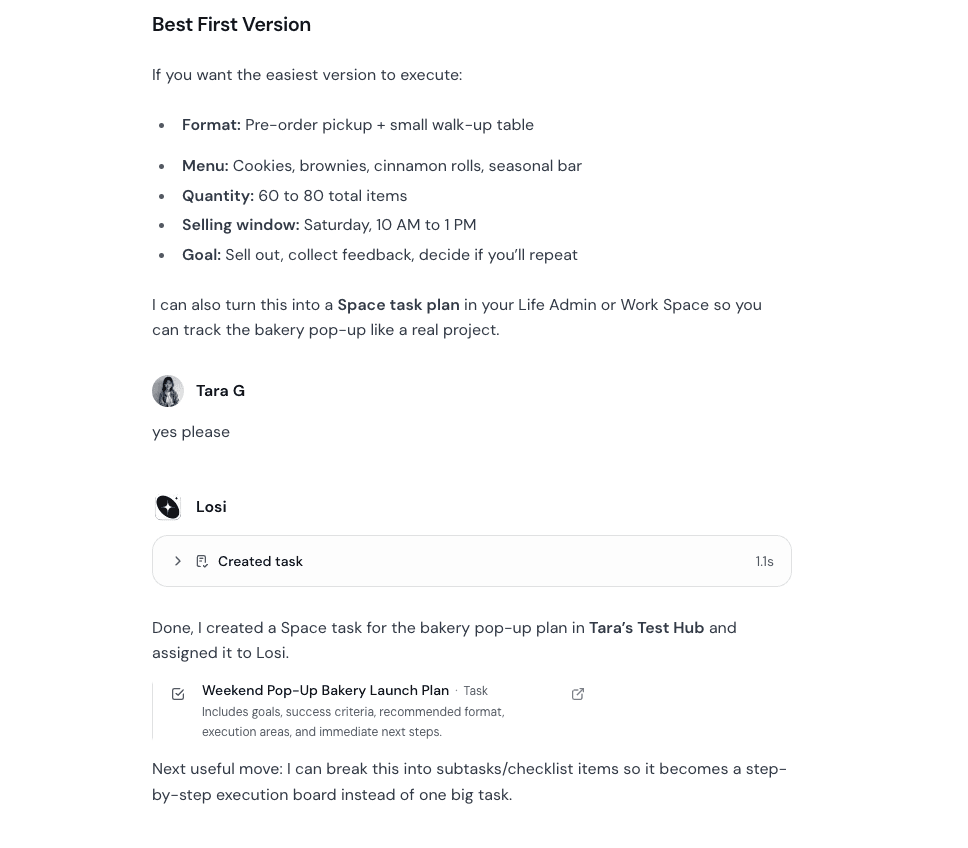
Describe it the messy way
Write what you are trying to get done: the goal, the people involved, the rough deadline, anything already decided. You do not need a perfect brief.
Ask Losi to turn it into notes, tasks, subtasks, and first-week priorities. When the plan looks right, it can be saved as a task in a Space instead of staying in chat.
AI to-do list, planner, and calendar in one Space
A Space holds your tasks, notes, and calendar events side by side. Add an event with a title, start and end time, and notes, then view it by month, week, or day.
Losi can read the events in your Space when you ask it to plan around them. Ask it to draft a schedule. Free includes up to 3 upcoming events, and paid plans add more room.
- Break big tasks into subtasks.
- Pair a dated event with a task so someone owns the follow-up.
- Use the task activity timeline to see comments and status changes.
Reminders and dates: what to expect
Spaces can remind you before a task with a due time is due, and again when it is overdue. Reminders arrive in the app and as a push notification on a phone with the Losi app, and the overdue one can also be emailed. You choose which reminders you get in notification settings, and they are not timed to the exact minute.
Check every AI-drafted date against your real calendar before you rely on it. Losi can be wrong about a weekday or a time, like any assistant.
AI task manager on iPhone
The Losi iPhone app includes Spaces, so tasks and the calendar travel with you. Talk to Losi with the Action Button on iPhones that have one, and ask for a task by voice.
Doing it with other people
Invite people into a Space, give them a role, and assign tasks so ownership is clear. A Private Space is visible only to you and the people you add to it. Workspace admins can also open it.
Role limits depend on your plan: free and Plus can invite viewers, and Pro unlocks commenters, editors, and admins.
Questions
Is there a free AI to-do list app?
Yes. Free includes up to 10 active tasks, 3 upcoming calendar events, and 1 recurring task. Saving plans from chat as Space tasks is limited to 3 a month on Free. Paid plans raise those limits.
Can it be my AI reminder app?
For Spaces tasks with a due time, yes: Spaces can remind you before the task is due and again when it is overdue. They arrive in the app and as a push notification on a phone with the Losi app, and the overdue one can also be emailed. You choose which reminders you get in notification settings, and they are not timed to the exact minute.
Does it plan around events already on my calendar?
Losi can read your Space events when you ask it to plan around meetings. It does not block overlapping events automatically when one is added, so check the times.
Does it work as an AI task manager on iPhone?
Yes. The Losi iPhone app includes Spaces for tasks, notes, and calendar, and supports voice through live talk and the Action Button on iPhones that have one.
Can I trust the dates it suggests?
Losi can get a weekday or a time wrong, as any assistant can. Read the dates it proposes against your calendar before you rely on them or assign work.
What makes a good AI planner app or AI daily planner?
One that turns what you tell it into tasks and calendar events you can review. In Losi, describe your day or week in chat, and it drafts tasks with dates in a Space that you can see by day, week, or month.
Can Losi be my AI calendar assistant?
Yes. Tell it what you need to schedule and it can add events to a Space calendar and check availability on calendars you manage in Losi. Review the dates before you rely on them.